TRENDING ON AMAZON
Ember Temperature Control Smart Mug 2 (14 oz) Review: Is It Worth It?
The app-controlled smart mug that holds your coffee or tea at your exact chosen temperature — 120°F to 145°F, for as long as you're at your desk.
Quick answer: Yes — the Ember Mug 2 is worth $130 (or ideally $75-100 on sale) for slow-sip coffee and tea drinkers at a desk. It completely eliminates the microwave-reheat cycle by holding your drink at exact temperature for hours. Skip if you finish coffee in under 15 minutes (an insulated tumbler is fine) or if managing another chargeable device bothers you. For the specific desk-slow-sipper use case, this is one of the few smart-home gadgets that permanently upgrades a daily routine.
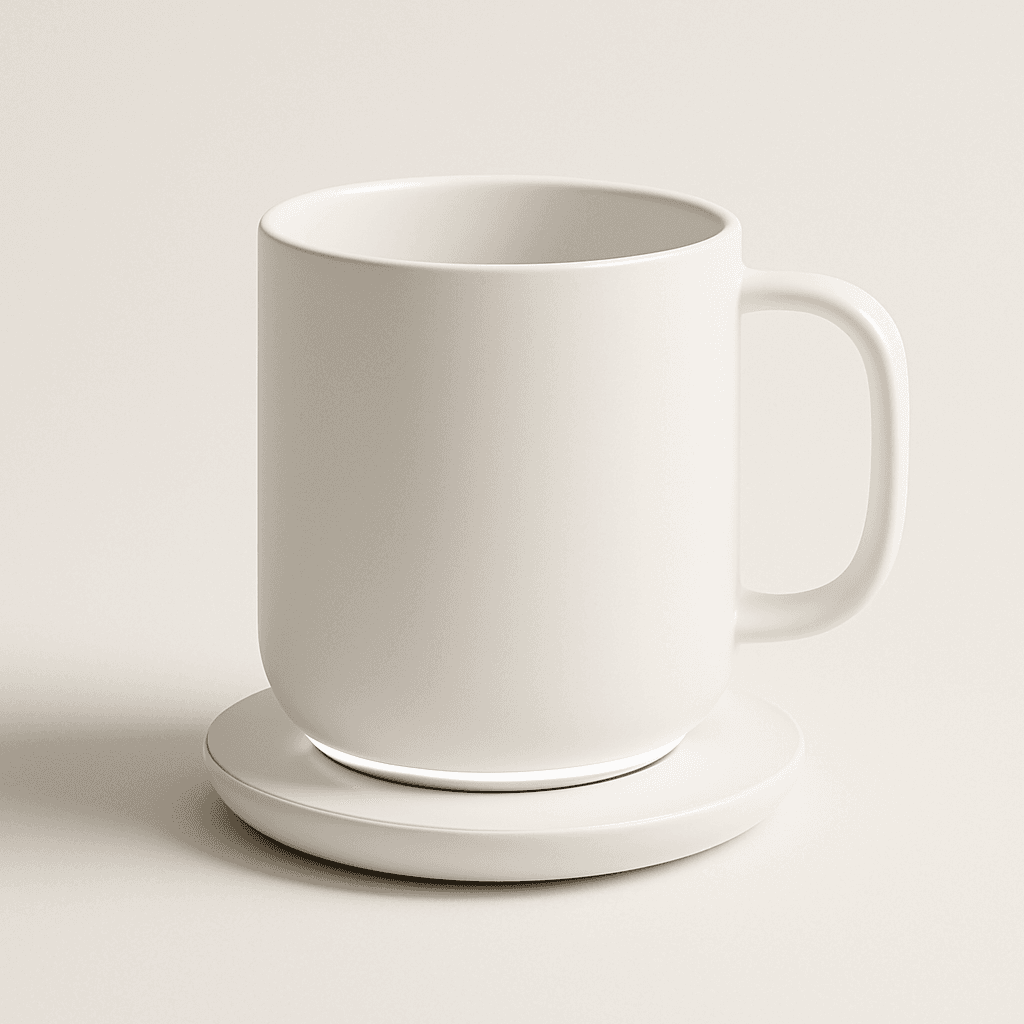
Illustrative image — see Amazon for the actual product.
Our verdict
Yes — the Ember Mug 2 is worth $130 (or ideally $75-100 on sale) for slow-sip coffee and tea drinkers at a desk. It completely eliminates the microwave-reheat cycle by holding your drink at exact temperature for hours. Skip if you finish coffee in under 15 minutes (an insulated tumbler is fine) or if managing another chargeable device bothers you. For the specific desk-slow-sipper use case, this is one of the few smart-home gadgets that permanently upgrades a daily routine.
The short version
The Ember Mug 2 solves a specific problem that once you notice, is impossible to un-notice: coffee is perfect for about eight minutes, drinkable for another twelve, and lukewarm-and-sad forever after that. Ember's ceramic mug embeds a battery-powered heating element and temperature sensor that hold your drink at your exact chosen temperature (120-145°F) all morning, controlled from your phone. Set to 135°F and your last sip tastes like your first. Battery lasts about 80 minutes standalone; sit it on the included wireless charging coaster and it holds temp indefinitely. The catch is that it's not cheap ($130 at MSRP, often $75-100 on sale), it's another device to charge, and it's a hand-wash-only pot. But once you've had coffee stay perfect for 90 minutes at your desk, going back is legitimately hard.
Pros & cons
Pros
- Holds coffee or tea at exact temperature (120-145°F)
- App-controlled — set exact preferred temp
- 80 minutes battery, indefinite on wireless coaster
- Handles beautifully — real ceramic feel, not plastic
- Auto-detects liquid and starts heating
- Ships with charging coaster included
Cons
- Expensive vs a $30 insulated tumbler
- Hand-wash only, no dishwasher
- Adds a device you have to remember to charge
Why people love it
Set your temp
Open the Ember app on iOS or Android, connect via Bluetooth, and choose your target temperature between 120°F and 145°F. The default 130°F suits most coffee; tea often prefers 145°F.
Pour and it holds
Pour hot coffee or tea into the mug and its internal sensor detects the liquid, activating the heating coil. The mug warms to your target and holds it steady — 130°F for hours.
Coaster for all-day
Standalone battery lasts about 80 minutes. Rest the mug on the included wireless charging coaster and it holds temperature indefinitely — the specific setup for a full-morning-at-desk workflow.
Who it's for
- Slow-sip coffee drinkers at a desk
- Anyone who microwaves their coffee 3x per morning
- Tea drinkers who want tea at the exact optimal steep temperature
- People who never finish their coffee before it goes cold
Why coffee temperature actually matters (and why 'perfect' varies more than you think)
Coffee tastes different at different temperatures — this is verifiable and repeatable. Above 145°F, the tongue's heat sensors overwhelm the flavor receptors, so hot coffee tastes 'strong and bitter' regardless of the specific bean flavor profile. Between 130-140°F, the flavor receptors dominate and you actually taste the roast notes, sweetness, and specific coffee character. Below 120°F, the coffee's acids begin to feel harsh and the drink loses the 'body' that makes it enjoyable — the specific reason lukewarm coffee tastes sad and empty. The optimal drinking window for most coffees is 130-140°F.
The problem is that a standard mug hits that window for about eight minutes: your coffee pours at 160-170°F (too hot), passes through the tasty window in 8-12 minutes, and drops below 120°F in another 15-20. If you sip slowly during meetings or emails, most of your mug is either scalding or sad. The Ember Mug 2's specific value is holding you inside that 130-140°F window for the entire duration of the drink — first sip to last sip, hour one to hour three. Once you've experienced this, standard mugs feel accidentally broken.
Ember Mug 2 vs Travel Mug 2+ vs a French press with a warmer
Ember makes two products worth comparing. The Ember Mug 2 (this review) is the desk-based ceramic mug — 14 oz, 80-minute battery, wireless charging coaster included. Best for at-home or in-office desk workflows. The Ember Travel Mug 2+ is the commute-oriented version — 12 oz, tighter lid, 3-hour battery, no coaster (charges via USB-C). Best for people who drive to work and want their coffee perfect on arrival. If you're primarily at a desk, get the Mug 2; if you commute daily, get the Travel Mug 2+.
Cheaper alternatives that solve related problems: a good insulated tumbler (Yeti or Contigo, $30-40) slows heat loss significantly for shorter workflows but doesn't hold exact temperature, and a big-capacity handled tumbler like the Stanley Quencher is the specific pick if you also want a giant ice-water vessel next to the Ember all day. A candle-warmer coaster ($20-30) sits under any mug and adds gentle heat — cheaper than Ember but no temperature precision and slower heating. A French press with a knitted cozy is the analog approach: brews and holds temperature for 20-30 minutes without electronics. For the specific slow-sip use case at a desk with exact temperature preferences, Ember is the only tool that fully solves the problem — the alternatives are close but not identical. Pair with a great home espresso like a Nespresso Vertuo for the specific full-desk-coffee upgrade setup.
Making the Ember Mug 2 a lasting habit (charging, cleaning, and app tricks)
The Ember Mug 2 becomes a permanent daily-use device or it becomes a $130 novelty in a drawer, and the difference is entirely about charging and cleaning routine. The specific system that works: charge the coaster at your desk permanently, so the mug charges whenever it's parked between sips. This removes the 'oh no it died' failure mode and keeps standby battery topped up for the times you carry it away from the desk. Hand-rinse the mug once at day's end with soap and warm water, dry inverted overnight — done in 30 seconds.
App settings worth tweaking: (1) Set your specific target temp based on your specific coffee — most people land at 132-137°F for regular coffee after a few days of experimenting. (2) Enable the temperature-reached vibration alert if you want a small tap when it hits target. (3) Create separate presets for coffee (135°F) and tea (145°F) so you can switch with one tap. (4) Turn on the auto-sleep feature that shuts the mug down when it detects empty — saves battery and prevents overheating dry ceramic. Most owners keep the mug on the desk permanently and treat it as a small daily upgrade rather than a special-occasion device. That's the specific mindset that turns it from an expensive gadget into a piece of daily infrastructure.
See Ember Mug 2 on Amazon
Check the latest price, photos and buyer reviews on Amazon.
Check Price on Amazon →Sold and shipped by AmazonFrequently asked questions
Is the Ember Mug 2 worth $130?
Yes, if you specifically drink coffee or tea slowly at a desk over 30-90 minutes and currently reheat it multiple times per morning. The Ember Mug 2 completely eliminates that reheating cycle: your first sip and your last sip are the exact same temperature, and you actually finish the mug at the perfect temp instead of dumping cold coffee at the bottom. That specific value shows up daily and never becomes routine — most owners describe it as a small luxury that permanently upgrades their morning. Skip it if you drink coffee in under 15 minutes (an insulated tumbler works fine at that speed), or if adding another device to charge nightly bothers you. On sale ($75-100), the value math tips clearly toward buy; at MSRP $130, it's a considered luxury but still one most slow-drinkers don't regret.
Ember Mug 2 vs a Yeti Rambler or Contigo insulated tumbler: which is right for me?
Different problems solved by each. The Ember Mug 2 actively heats to a chosen temperature — the specific fix if your coffee currently goes lukewarm at a desk despite an insulated tumbler. A Yeti Rambler or Contigo passively insulates — it slows heat loss significantly but coffee will still cool from 160°F to 140°F over an hour. For desk coffee drunk in 5-15 minutes, insulated tumblers work great and cost 20% of Ember. For desk coffee drunk over 30+ minutes with reheating (the specific slow-sip use case), Ember is the tool. Many owners keep both: a Yeti Rambler for commutes, an Ember Mug on the desk for slow-sipping.
How long does the Ember Mug 2 battery last?
About 80 minutes of active heating on standalone battery from a full charge. That's typically enough for one full mug of coffee sipped over an hour — from first pour to last sip at the exact same temperature. For longer workflows, place the mug on the included wireless charging coaster and it holds temperature indefinitely: the specific setup for people who nurse coffee for 2-3 hours during morning meetings. The battery does need daily charging; the coaster charges the mug in about 90 minutes from empty.
Is the Ember Mug 2 dishwasher safe?
No — hand-wash only. The heating element and Bluetooth sensor inside can't be dishwasher-cleaned, and Ember's warranty is voided by dishwasher use. Washing is easy: a quick rinse with dish soap and warm water, then dry with a soft cloth. Avoid submerging the base (the charging contacts and battery are inside). If dishwasher-only cleanup is a hard requirement for you, this isn't the right mug — go with a Yeti or Contigo. Most owners don't find hand-washing a burden since the mug lives on the desk and gets rinsed once a day.
Does the Ember Mug 2 work with iced coffee or cold drinks?
No — it only heats, not cools. The mug's temperature range is 120°F to 145°F, both minimums well above room temperature. Pouring an iced coffee into it will actually warm the drink, not cool it. For hot beverages only. If you drink iced coffee and want temperature control, Ember makes the Ember Travel Mug 2+ which has a slightly wider temperature range and better lid seal for on-the-go — but neither cools drinks below room temperature.
How do you set the temperature on the Ember Mug 2?
Via the Ember app on iOS or Android over Bluetooth. Open the app, pair the mug (one-time setup — 30 seconds), and set a target temperature between 120°F and 145°F. Once set, the mug remembers the target — you don't need to open the app again unless you're changing it. Most owners set once and forget for months. The mug's base has an LED that changes color (red = heating, white = at target) so you know at a glance whether your drink is at temp. The specific default 130°F suits black coffee for most tastes; tea drinkers often prefer 145°F. Experimenting to find your exact optimal temperature is one of the small joys of owning the mug.
As an Amazon Associate, TopCrate earns from qualifying purchases at no extra cost to you. Product image, price, availability and ratings are shown on Amazon and are subject to change.