HOW TO USE
How to Use invisaWear: Setup, Pairing and How the Alert Works (2026)
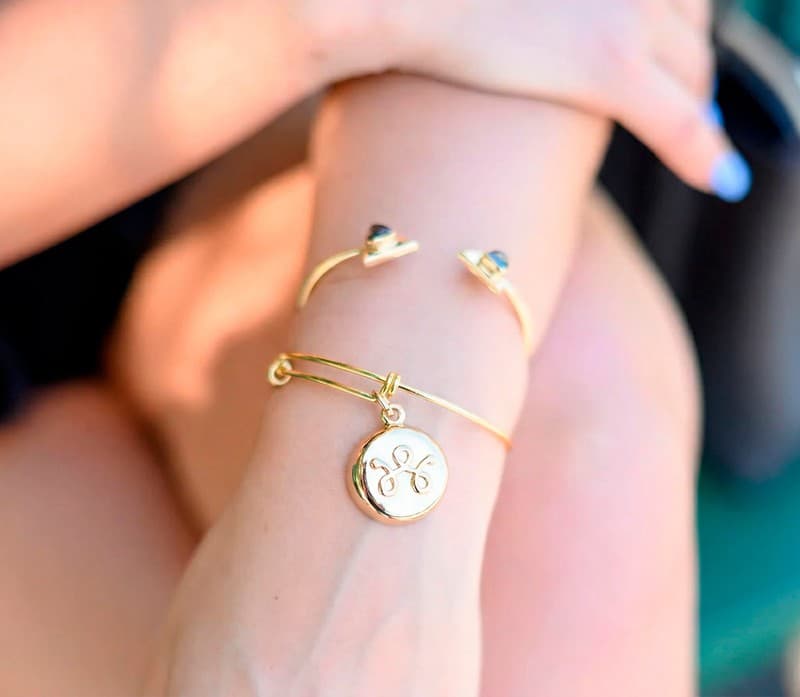
Setting up invisaWear takes an app, a Bluetooth pairing and a list of trusted contacts; using it takes a double-click. Here are invisaWear's own setup steps, what happens after you press the button, the settings that keep it connected, and what the required Safety Plan costs.
To use invisaWear, you install the free invisaWear app (iOS 13 or later, Android 9 or later), pair the charm with your phone over Bluetooth, add your trusted contacts, and then double-click the hidden button on the back of the charm whenever you need help. Two conditions apply every time: your phone has to be on and within 30 feet with the app running, and you need an active Safety Plan, because invisaWear says the device cannot call for help without one.
This guide walks through setup in the order invisaWear's own setup page gives it, explains what actually happens after you press the button, and covers the parts people tend to miss: the two emergency numbers to save first, the settings that keep the charm connected, what the Safety Plan costs, and how long the battery lasts. Every step and quote below comes from invisaWear's setup page, FAQ, product page, policies and its GiddyUp offer page, all read on November 13, 2026. If you are still deciding whether to buy, start with our invisaWear review.
What you need before you set up invisaWear
invisaWear is a trigger, not a phone. The charm connects to your phone over Bluetooth, and invisaWear's FAQ puts it plainly: "invisaWear uses bluetooth to connect to your phone and your phone sends the emergency alert." So before you unbox it, check three things.
First, your phone. invisaWear's setup page says the app is "Available on iOS 13.0+ or Android 9.0+", and the App Store listing says it "Requires iOS 13 or later." Second, the Safety Plan. invisaWear's product page says "A safety plan is required to send emergency alerts." The $99.99 pieces on the GiddyUp offer page (the Star Burst Charm Necklace, the Star Burst Bracelet and the Pendant Keychain) each list a "30 Day Safety Plan included"; after that, invisawear.com listed the plan at $14.99 a month. Third, the people you want alerted, with their phone numbers ready, because you add them in the app.
One timing point is worth knowing before the box arrives. invisaWear's subscription policy says subscriptions start on the purchase date, not the activation date. If your included 30 days are counting from checkout, set the charm up and test it as soon as it lands so you get the full month of use.
How to set up invisaWear, step by step
Step 1: save the emergency numbers. invisaWear's setup page asks you to save two numbers in your phone under the name "INVISAWEAR EMERGENCY": (888) 795-3437 and (561) 621-3533. The page says these are the numbers that will contact you in an emergency, and that you should not call them or add them as emergency contacts in the app. Its tip is to turn on the "EMERGENCY BYPASS RINGTONE" setting when you save them, so you can hear the call even with your phone on silent.
Step 2: download the app. Get the invisaWear app from the App Store or Google Play. The App Store listing describes it as a free companion app and says the charms "use Bluetooth Low Energy to automatically pair with your smartphone app."
Step 3: create your profile and pair the charm. The setup page's instruction is short: "Follow the instructions in the app to setup a profile & pair with your accessory." invisaWear also links separate iPhone and Android video tutorials from that page if you want to watch it done first.
Step 4: choose your contacts. invisaWear's homepage says the charm can "Instantly alert 5 trusted contacts," and its FAQ says you choose and manage them in the app. Pick people who will actually answer, and tell them to expect a message from invisaWear so they do not ignore it.
Step 5: run a test. invisaWear's FAQ says to "Use the in-app test mode to safely verify setup." Do this on day one, and again after any phone update or new phone, so you know the alert path works before you rely on it. If anything fails, the setup page points you to its Help Center or support@invisawear.com.
How to trigger an invisaWear alert
The action itself is simple. invisaWear's FAQ says: "Double-click the charm on any invisaWear accessory to send an emergency alert to friends, family, and optionally police." The App Store listing adds the timing: "A quick double press (within 3 seconds) is required to activate the alert." The two-press design is meant to make it easy to do by feel, without taking your phone out.
What happens next depends on your plan and settings. invisaWear's product page lays out the sequence this way: after the double-click, "Our team of trained safety agents calls you to check in on you"; if you don't answer, "Your live location is sent to 5 emergency contacts and optionally 9-1-1"; and agents can then get help to you. The homepage describes the agents as "trained ADT agents who can stay with you on the phone or instantly alert police."
Be careful with how you read the police wording. The offer page says the charm "can even call the police for you," but invisaWear's own pages consistently describe the 9-1-1 call as optional, something you set up, and the FAQ says "9-1-1 functionality only available in the U.S. and Canada" (the App Store listing says U.S. only). Contact alerts, by contrast, "Works in over 79 countries," according to the FAQ.
Pressed it by accident? The FAQ says "You can easily cancel the alert in the app using your secret 4 digit pin." Set a PIN you will remember under stress, and practice cancelling during your test so a false alarm does not leave your contacts worried.
Keeping invisaWear connected day to day
Most of using invisaWear well is keeping the phone side ready. invisaWear's setup page lists three "friendly reminders," and they are the whole game: "Make sure the app is always running in the background and you do not force close out of it"; "Make sure to always keep Bluetooth, Location Services, and Notifications enabled"; and "Make sure your phone is on and nearby within 30 feet to send an emergency alert."
In practice that means a few habits. Don't swipe the invisaWear app away when you clear your recent apps. Check after phone updates that Bluetooth, location and notification permissions are still on. And think about where your phone actually is: in a bag on your shoulder is fine, but a phone left in a gym locker, another room or a car outside the 30-foot range cannot send the alert. A dead phone battery has the same effect, so the charm is only as ready as the phone it is paired with.
A dropped Bluetooth connection is one of the complaints our is invisaWear legit guide covers, along with the fine print. Running the in-app test now and then is the simplest way to catch a dropped connection before it matters.
What the invisaWear Safety Plan does and costs
The Safety Plan is what turns the charm into a working alert. invisaWear's FAQ is direct: "Without an active Safety Plan, your device is simply a beautiful piece of jewelry and will not be able to call for help." So if your included 30 days lapse or a card payment fails, the button will not send alerts.
On invisawear.com the plan was $14.99 a month with no commitment. The subscription policy also lists 6-month, 1-year and 2-year plans and a two-year device special, without printing their prices, and says the monthly plan has the highest rate. All plans auto-renew; the monthly plan can be cancelled any time from your account at invisawear.com/login, while commitment plans may charge "75% of the monthly service charges due for the balance of the initial term" if you end them early. Subscriptions are non-refundable.
According to the subscription policy, the plan pays for "24/7 security agents, customer support, and additional infrastructure." The offer page lists the app features that come with it: live video streaming to an ADT agent, reassurance calls with ADT agents, voice activation with a secret phrase, and SOS chat for when you can't talk. invisaWear's product page also describes a safety timer: "Set a timer for up to 4 hours before a jog, hike, date, or outing." You do not need to be an ADT home-security customer to use any of it, per the FAQ.
A note on how we get paid: TopCrate earns a commission only if you buy through our link to the invisaWear offer page; we earn nothing from the plan or from other sellers. Our where to buy invisaWear guide compares the offer page with invisawear.com, where the charm alone was $49.
invisaWear battery life, water and warranty
There is nothing to charge. invisaWear's FAQ says "Battery life lasts approx. 3 years depending on usage. No charging necessary." It adds that a free replacement is available if you have had an active Safety Plan for 2 or more years; the offer page puts it as "free replacements! (2 year plan required)." If you are on the monthly plan, plan on contacting support when the battery is due rather than assuming a free swap.
invisaWear does not call the charms waterproof. Its FAQ says "Water resistance varies by product. Check the product details page," and its warranty excludes abuse and accidental damage, water damage included. Take it off for swimming and showers unless your piece's product page says otherwise.
The warranty covers defects in materials or workmanship for one year from purchase. If the device itself stops working within the return window, invisaWear's refund policy says to contact support@invisawear.com straight away; for returns, the policy allows 30 days from receipt (purchases made September to December can go back until January 31), deducts a $10 restocking fee per item and leaves return shipping to you.
What invisaWear can and can't do
invisaWear is a fast, discreet way to send your location and ask for help without unlocking your phone. It is not a standalone beacon and it cannot promise a result: it depends on your phone's signal, Bluetooth range, battery and app permissions, and on the people or agents at the other end responding. The offer page calls it "a simple, foolproof way to get help"; we would describe it as a useful layer that works best alongside, not instead of, ordinary precautions.
If what you really want is something that works with no phone, no app and no plan, a loud personal alarm is the other approach. Our invisaWear vs Birdie comparison sets the silent alert against Birdie's keychain siren and says where Birdie is the better fit.
invisaWear vs Invisilift, Incrediwear, Invisibelt and Invisiwear
If you search for setup help, make sure the instructions are for invisaWear. Invisilift and Incrediwear are unrelated companies, and Invisibelt (belts) and Invisiwear (underwear) are different brands too; none of them makes safety jewelry or the invisaWear app. "Invisiwear" is also a common misspelling of invisaWear, so a result with that spelling may be about either. The official setup page lives at invisawear.com/pages/setup, and the GiddyUp offer page is at getinvisawear.com.
Read our full invisaWear review
How invisaWear performs day to day, who it suits, and what the $99.99 offer and the Safety Plan really cost.
Read our full invisaWear review →Frequently asked questions
How do I set up my invisaWear?
Save invisaWear's two emergency numbers in your phone as "INVISAWEAR EMERGENCY," download the invisaWear app (iOS 13+ or Android 9+), then follow the app to create a profile and pair the charm over Bluetooth. Add up to 5 trusted contacts and run the in-app test mode before you rely on it.
How do you activate invisaWear in an emergency?
Double-click the hidden button on the back of the charm. The App Store listing says the two presses must come within 3 seconds. invisaWear's FAQ says this sends an alert to friends, family and, optionally, police; 9-1-1 calling is available only in the U.S. and Canada.
Does invisaWear work without a subscription?
No. invisaWear's FAQ says that without an active Safety Plan the device "is simply a beautiful piece of jewelry and will not be able to call for help." The offer page includes the first 30 days, and invisawear.com listed the plan at $14.99 a month after that.
How far can my phone be from my invisaWear?
invisaWear's setup page says your phone must be on and within 30 feet to send an alert, with the app running in the background and Bluetooth, Location Services and Notifications turned on.
How long does the invisaWear battery last?
About 3 years depending on use, with no charging, according to invisaWear's FAQ. A free replacement is offered if you have had an active Safety Plan for 2 or more years. Our invisaWear review covers the ongoing costs.
How do I cancel an accidental invisaWear alert?
Open the invisaWear app and cancel it with your secret 4-digit PIN, as invisaWear's FAQ describes. Practice this during your first test so you know where it is.
TopCrate is reader-supported. When you buy through links on our site we may earn an affiliate commission, at no extra cost to you. Content is for general information and isn't a substitute for professional advice.